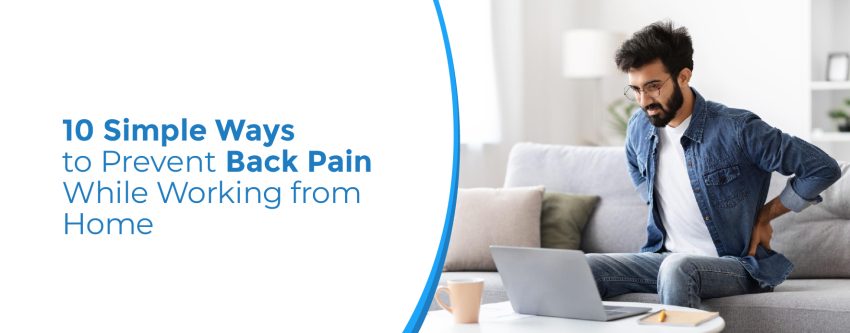
There are some advantages to working from home: no stress from commuting, better work-life balance, and so on. However, there are some drawbacks as well. Spending long hours sitting at a desk, on a couch, or at a dining table without proper support can take a toll on your spine. Many professionals now experience work-from-home back pain, which can affect productivity, sleep quality, and overall health.
Few simple lifestyle changes and ergonomic adjustments can help protect your spine and keep you comfortable throughout the workday. In this blog, we’ll explore why working from home can lead to spinal discomfort, practical prevention tips, and when to seek professional care.
Reason Behind Back Pain?
Working from home often means using makeshift workstations that are not ergonomically designed. Poor posture, prolonged sitting, and limited movement place extra strain on the muscles, ligaments, and spinal discs, leading to back pain.
Common causes include:
- Sitting for prolonged periods without breaks
- Poor chair or desk height
- Slouching while working
- Laptop screens placed too low
- Weak core muscles
- Lack of regular physical activity
- Stress and muscle tension
Over time, these habits may contribute to chronic back problems if left unaddressed.
Signs Your Back Needs Attention
You should pay attention to symptoms such as:
- Stiffness after sitting for long hours
- Pain while standing up
- Tightness in the shoulders and neck
- Difficulty bending or twisting
- Tingling or numbness in the legs
- Persistent Body Ache after a workday
Early intervention can prevent these symptoms from worsening.
Tips to Prevent Back Pain While Working from Home
-
Create an Ergonomic Workspace
Your workstation should support your body’s natural posture.
Ensure that:
- Your feet rest flat on the floor.
- Knees remain at a 90-degree angle.
- The monitor is at eye level.
- Elbows stay close to your body.
- Your lower back is supported by your chair.
If you don’t have an ergonomic chair, placing a small cushion behind your lower back can help.
-
Maintain Good Posture
Avoid slouching or leaning forward while working.
Instead:
- Keep your shoulders relaxed.
- Sit upright with your back supported.
- Keep your ears aligned with your shoulders.
- Avoid crossing your legs for long periods.
Good posture reduces unnecessary stress on the spine.
-
Take Regular Breaks
Avoid sitting continuously for hours.
A simple rule is to:
- Stand every 30–45 minutes.
- Walk around for 2–5 minutes.
- Stretch your muscles before returning to work.
Frequent movement improves blood circulation and reduces muscle stiffness.
-
Perform Daily Stretching
Simple stretching exercises for lower back pain can improve flexibility and reduce muscle tension.
Try these stretches:
- Cat-Cow Stretch
- Child’s Pose
- Standing Side Stretch
- Seated Spinal Twist
- Hamstring Stretch
Hold each stretch for 20–30 seconds without forcing the movement.
-
Strengthen Your Core
Strong abdominal and back muscles provide better support for the spine.
Some effective exercises for lower back pain include:
- Bird Dog
- Pelvic Tilts
- Glute Bridges
- Modified Planks
- Wall Sits
These exercises help improve posture and reduce strain during prolonged sitting.
-
Include a Lower Back Workout
A regular lower back pain workout can help improve strength and flexibility.
A simple routine may include:
- Pelvic Tilts – 10 repetitions
- Bird Dog – 10 repetitions on each side
- Glute Bridges – 15 repetitions
- Cat-Cow Stretch – 10 repetitions
- Standing Back Extensions – 10 repetitions
Always perform exercises slowly and stop if you experience severe discomfort.
-
Stay Active Beyond Work
Sitting all day should be balanced with regular physical activity.
Choose activities such as:
- Walking
- Swimming
- Yoga
- Cycling
- Light strength training
Even a 30-minute walk can significantly benefit spinal health.
-
Lift Objects Properly
Whether picking up grocery bags or household items:
- Bend your knees.
- Keep the object close to your body.
- Lift using your legs.
- Avoid twisting while lifting.
Proper lifting techniques reduce unnecessary strain on the lower back.
-
Sleep in a Spine-Friendly Position
Your sleeping posture also affects spinal health.
Experts recommend:
- Sleeping on your back with a pillow under your knees.
- Sleeping on your side with a pillow between your knees.
- Using a supportive mattress and pillow.
Good sleep posture allows your spine to recover overnight.
-
Stay Hydrated and Eat Well
Healthy spinal discs require proper hydration.
Drink enough water throughout the day and maintain a balanced diet rich in:
- Calcium
- Vitamin D
- Magnesium
- Protein
- Fresh fruits and vegetables
Good nutrition supports healthy bones and muscles.
When Should You Consult a Doctor?
Seek medical advice if you experience:
- Pain lasting more than two weeks
- Pain radiating to the legs
- Weakness or numbness
- Difficulty walking
- Loss of bladder or bowel control
- Severe pain after an injury
Prompt evaluation helps identify the underlying cause and prevents complications.
Treatment Options for Back Pain
Treatment depends on the severity and cause of the condition. Your doctor may recommend:
- Lifestyle modifications
- Physiotherapy
- Medications
- Heat and cold therapy
- back therapy
- Advanced back pain treatment for chronic spinal conditions
If conservative treatments do not provide relief, consultation with an orthopaedic surgeon for back pain may be necessary to discuss further management options.
Why Choose Venkateshwar Hospital?
At Venkateshwar Hospital, patients receive comprehensive spine care through a multidisciplinary approach. Our specialists use advanced diagnostic technology and personalised treatment plans to help individuals recover from spinal conditions safely and effectively. Our dedicated Pain Management team works alongside orthopaedic experts, physiotherapists, and rehabilitation professionals to restore mobility, reduce discomfort, and improve quality of life.
Conclusion
Working from home doesn’t have to compromise your spinal health. Maintaining good posture, creating an ergonomic workspace, staying physically active, and taking regular movement breaks can significantly reduce the risk of developing back issues. Listening to your body’s warning signs and seeking timely medical advice can help prevent long-term complications and keep you healthy, productive, and pain-free.
Frequently Asked Questions (FAQs)
Why does working from home increase the risk of back pain?
Poor posture, prolonged sitting, inadequate workstation setup, and reduced physical activity are the primary reasons.
How often should I take breaks while working?
It is recommended to stand, stretch, or walk every 30–45 minutes to reduce pressure on your spine.
What is the ideal sitting posture while working?
Sit with your back supported, shoulders relaxed, feet flat on the floor, and your computer screen at eye level.
Can regular exercise help prevent back pain?
Yes. Strengthening the core muscles and maintaining flexibility can improve spinal support and reduce the risk of injury.
Are standing desks beneficial?
Alternating between sitting and standing can reduce spinal stress and improve circulation when used correctly.
What type of chair is best for working from home?
An ergonomic chair with adjustable height, lumbar support, and armrests is ideal for maintaining healthy posture.
When should I seek medical attention for back pain?
Consult a doctor if the pain persists for more than two weeks, radiates to the legs, causes numbness, or interferes with daily activities.
Can stress contribute to back pain?
Yes. Emotional stress often causes muscle tension, particularly in the neck, shoulders, and lower back.
Is walking good for spinal health?
Yes. Regular walking improves circulation, strengthens supporting muscles, and helps reduce stiffness.
How can I prevent back pain while working long hours?
Maintain good posture, use ergonomic furniture, take regular breaks, stretch frequently, exercise regularly, and avoid sitting continuously for extended periods.
Written & Verified By:

Dr. Vibhore Singhal (MBBS, MS)
Director
Joint Replacement, Robotics & Orthopedics
Meet The Doctor